Claude Code 2.1.325 Tightens Permission Prompts
Claude Code 2.1.325 from @anthropic changes when the agent asks before acting: sandboxed Bash commands now follow the normal permission flow by default, and read-only git commands can ask first outside trusted project directories. For readers tracking Claude Code MCP work, the release also adds a redirect URL paste field for MCP server sign-in from the VS Code panel in SSH, WSL, and container windows.
This is a changelog release, so the news is small on the surface and sharp in daily use. It changes a few places where Claude Code used to continue quietly, then adds messages that explain the next safe move when a request or file operation is blocked.
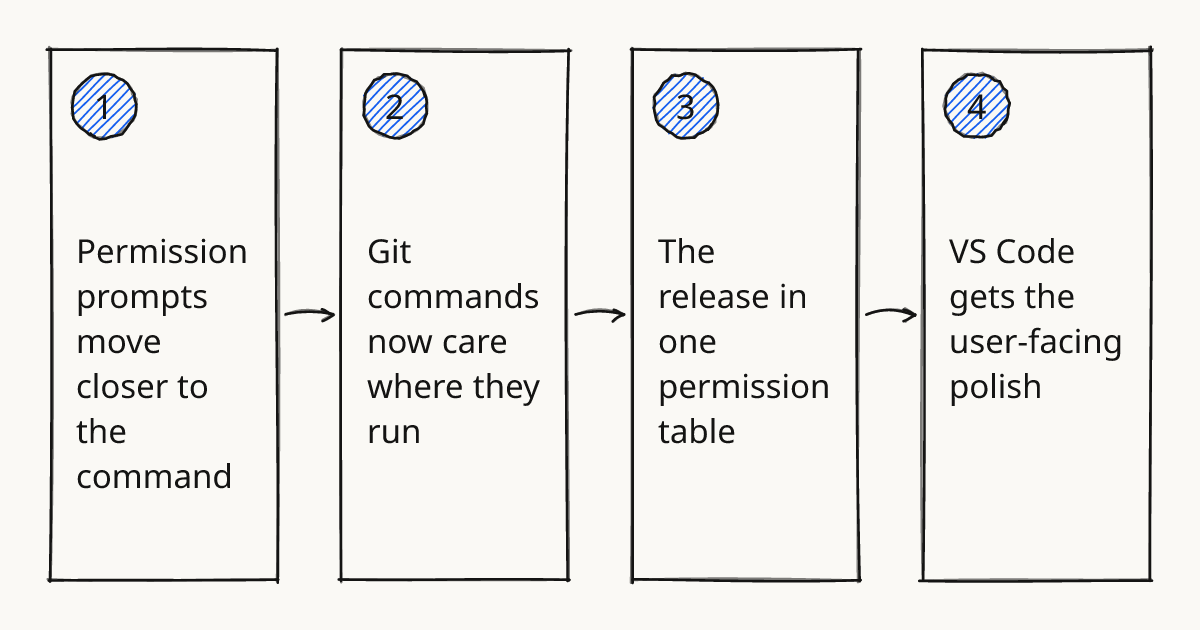
Permission prompts move closer to the command
The largest behavior change is the sandbox. Sandboxed Bash commands now follow the normal permission flow by default. If an environment depended on sandboxed Bash running without prompts, the changelog gives the compatibility switch: set sandbox.autoAllowBashIfSandboxed: true.
Managed settings get the same warning. When a managed source turns the sandbox on, the highest-ranking managed source needs sandbox.autoAllowBashIfSandboxed: true to keep those commands running without prompts.
That is a quieter default. A sandboxed command now goes through the same permission flow as any other command.
Rolling this out in your team?
We train engineering teams on their own codebase in two days. Claude Code setup, shared rules and review included.
Git commands now care where they run
Claude Code 2.1.325 also tightens git behavior around directories. Read-only git commands ask first in a repository that is not the current project and is not a trusted directory. The changelog says to name that directory with --add-dir if it should run without prompts.
The sandbox now tells Claude when a sandboxed git checkout, git stash, or autostash pull cannot update protected files such as files under .claude. That matters because a blocked git operation can otherwise look like an ordinary git failure when the real issue is a protected Claude Code settings path.
The release also changes unattended work. Scheduled tasks and /loop now ask before running a skill that declares allowed-tools or hooks, unless Skill(name) is in permissions.allow. In Desktop, IDE and SDK hosts, an Always allow rule is offered only when saving it would allow that command again, so a scheduled task that relied on one can now wait for you.
The release in one permission table
| Change in 2.1.325 | What to check |
|---|---|
| Sandboxed Bash follows the normal permission flow by default. | Decide whether prompts are acceptable, or set sandbox.autoAllowBashIfSandboxed: true where the changelog says the old behavior is required. |
| Managed sandbox settings follow that same rule. | Put the setting in the highest-ranking managed source if unattended sandboxed Bash still has to run. |
| Read-only git commands ask first outside trusted project directories. | Use --add-dir for an extra trusted repository instead of relying on additionalDirectories. |
Scheduled tasks and /loop ask before skills with allowed-tools or hooks. |
Add Skill(name) to permissions.allow only for a skill that should run unattended. |
| Organization policy blocks now show recovery instructions. | Use /rewind and change the message, or use /clear when the current request should be discarded. |
The table focuses on checks before approval. This release gives clearer interruption points. It does not decide which commands belong in a trusted path.
VS Code gets the user-facing polish
The VS Code changes are practical. Prompt suggestions now appear wherever the terminal shows them. Tab accepts the suggested next prompt, and promptSuggestionEnabled: false in Claude Code's settings.json turns them off.
There is also a Console sign-in path that creates no API key. That is useful when the sign-in flow should stay tied to the console account flow instead of leaving another key to track.
Jupyter notebooks get a specific hint. After Claude has read or edited a notebook, integrated terminals can show a spinner tip about re-running a notebook cell. It is a small feature, but it points at a real source of confusion: the file changed, while the kernel state may still be old.
Try the remote MCP sign-in path
The first practical check for Claude Code MCP in this release is a remote VS Code window. Open Claude Code in SSH, WSL, or a container window, start sign-in to an MCP server from the panel, and confirm that the new field lets the redirect URL be pasted back into the flow.
Keep the test narrow. Use one existing MCP server and one repository where the permission prompts are understood. If the integration touches private systems, write down the server purpose and the allowed action boundary in the same place you keep Team conventions.
For a broader connection contract, compare this release note with Claude Code MCP Integration Contract. The 2.1.325 change is just the sign-in surface; the harder work is still deciding which external actions should be callable. That decision belongs in the Review step of our methodology, because the useful question is whether the agent produced enough evidence before a tool crosses a boundary.
What to try first in one repo
- Open one repo where Claude Code already runs and leave
sandbox.autoAllowBashIfSandboxedunset for the first pass. - Run a sandboxed Bash command that no allow rule covers and confirm that it follows the normal permission flow.
- Try a read-only git command against any extra repository only after adding it with
--add-dir. - In a VS Code SSH, WSL, or container window, sign in to one MCP server from the panel and paste the redirect URL when prompted.
- If a scheduled task or
/loopuses a skill withallowed-toolsor hooks, expect an approval prompt before it runs unattended. - If an organization policy blocks a request, recover with
/rewindand a changed message, or reset the session with/clear.
This checklist should stay scoped to one repo. The goal is to see which prompts appear before changing settings that make work unattended again.
Further reading
Run the smallest permission check
Run the checklist once in a repo with a remote MCP sign-in path and a harmless sandboxed command. For hands-on training on Claude Code permissions and review habits, use hands-on training.
Train your team on Claude Code
Two days on your team's own repository, onsite or remote, with a written proposal before you commit.
Book a callPrefer to measure first? Take the free team check.